PlatformIntegrations
Connect Inbound CX to the systems you already run.
An API, signed webhooks and steps in your call flow that reach your own systems, all documented in the API reference.
An API with keys
Read calls, manage contacts and send texts from your own code, with up to 10 active keys per organization. On the Pro and Business plans.
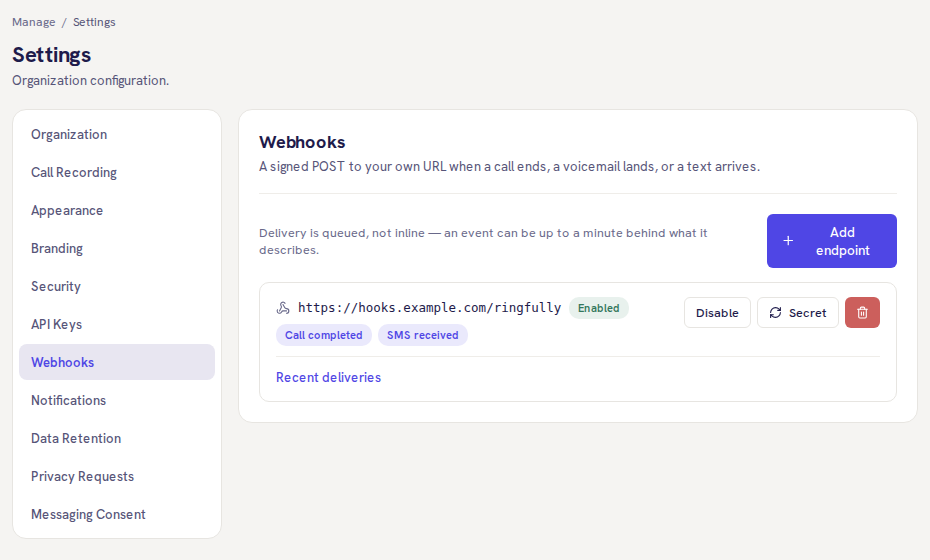
Signed webhooks
A signed POST to your URL for any of 11 events, from a call ending to a survey answered, tried up to 8 times over about two hours.
Lookups in your call flow
HTTP request, table lookup and webhook steps, which reach only the addresses your organization approved.
Exports and a published spec
Export the audit log as a CSV file, and read the API’s OpenAPI description before you write a line of code.
Connectors people ask for
The ones that exist say what they do, and the ones that do not say that instead. What you can wire up yourself today is below.
Connector
HubSpot and Salesforce
Pro and Business: the caller's record on screen, each finished call logged to it
Connector
Zendesk
A ticket for a missed call or a voicemail, as an internal note linking to the call
Connector
Slack
Missed calls, voicemail, hand-offs and low scores, each to a channel you pick
- Coming soon
Connector
Video meetings
Until then, the API and webhooks below
What your systems can reach today, and where each one is documented.
- REST APICalls, contacts and texts
- API keys8 scopes, Pro and Business
- Call completedWebhook event
- Voicemail receivedWebhook event
- SMS receivedWebhook event
- API / HTTP requestCall flow step
- Look up in a tableCall flow step
- Look up Inbound CX dataCall flow step
- WebhookCall flow step
- Data tablesIn Flow Resources
- Audit logCSV export
- OpenAPI descriptionPublished spec